Battle Highlights
Every ChessVS game writes a battle record. Battle Highlights turn the single best moment of that record into something you can share: a story card with pulp-fiction lore written about your clash, on its own page at chessvs.club/h/… — and, if you want the full cinema, a replay clip of the moment itself.
Creating one
After any game, hit 📜 Create Battle Highlight on the results screen. You can also create one from any recent game on your profile — every match row has a 📜 button.
 The Create Battle Highlight button sits right on the results screen, so you can start a highlight the moment a game ends.
ChessVS reads your battle record, finds the hottest moment of the game (a card fire, a mutual capture that emptied the square, a mutual wound that left both pieces standing), and writes the story. You'll see a preview first: the title, the lore, and free previews of both the share card and the clip. Nothing is saved and no FOCUS is spent until you publish.
The two choices
| Story | Story + Clip | |
|---|---|---|
| Cost | Free | 100 FOCUS |
| Share card + lore | ✓ | ✓ |
| Your own share page | ✓ | ✓ |
| Cinematic replay clip | — | ✓ HD download |
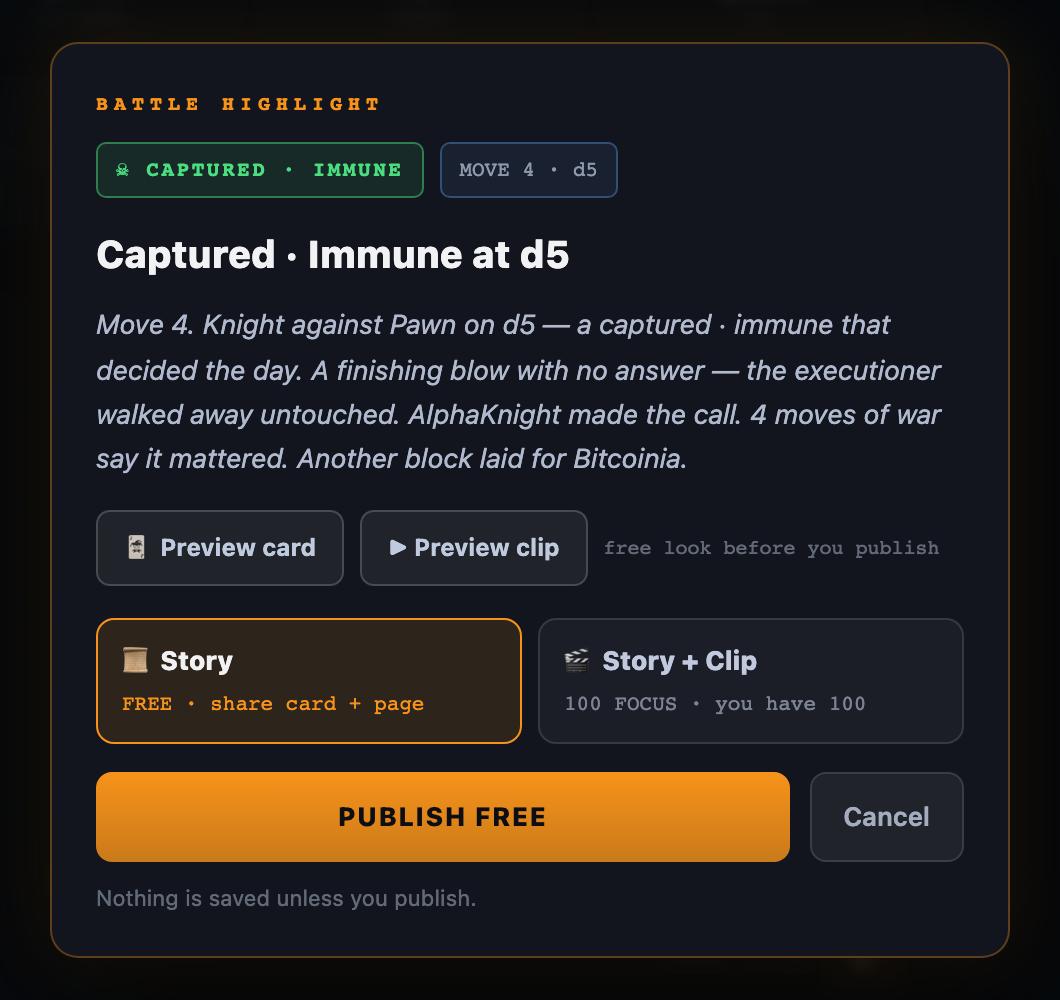 Before you publish, you can read the generated title and story, preview the card and the clip, and pick either the free Story option or the Story + Clip option.
The Story choice publishes your card and page, free, every time.
The Story + Clip choice adds a rendered HD clip of the moment: the board replaying the clash with the full combat presentation — stat plates, the result glyph stinger, your club's colors. It plays on your share page, autoplays when the link is dropped in Discord or Telegram, and is yours to download and post anywhere. You can watch the whole clip live in the preview before spending any FOCUS — what the FOCUS unlocks is the rendered file.
If a clip render ever fails, your FOCUS is refunded automatically.
Your club rides with you
Every highlight story closes with a shout to your Battle Club, and your share page wears your club's colors. When you post a highlight, you're not just posting your win — you're putting your club's banner on the timeline. Clubmates will recognize it.
Sharing
After publishing you get the link, plus:
- Download Clip — the HD mp4, yours.
- Share on X — on your phone, the share sheet opens with the clip attached and the post pre-written. On desktop, the clip saves and a pre-filled post opens; attach the file and fire.
- Copy — copies the link; the share page unfurls with your card wherever links unfurl.
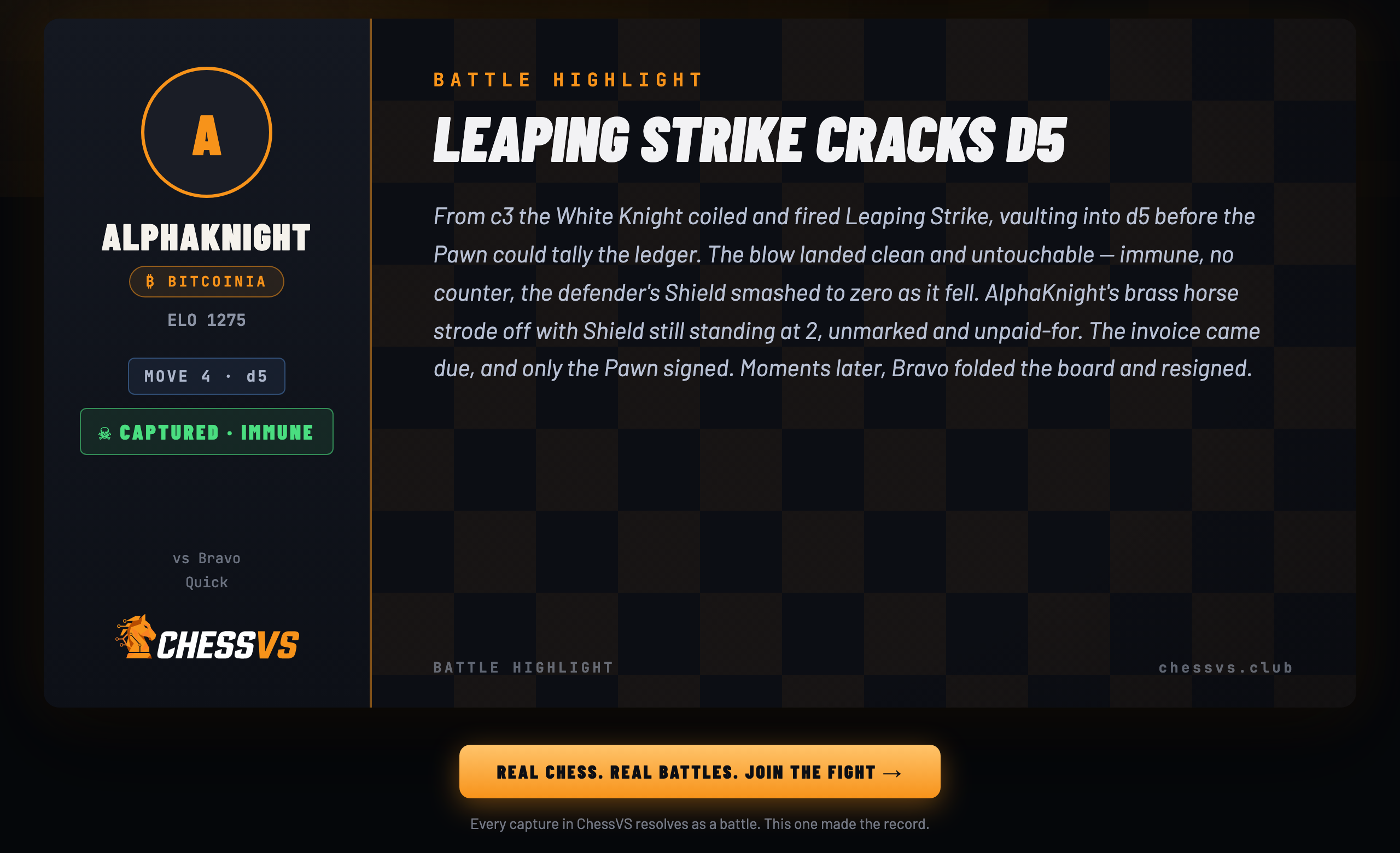 Your published highlight gets its own page with the player rail, your club and result, the full story, and a Join the Fight button for anyone who follows the link.
One honest note: your highlight shows the game as it was actually recorded — pieces, cards, wounds, numbers. The lore is written from the battle record and only the battle record. Nobody can pulp their way to a win that didn't happen.